IMOU Cameras
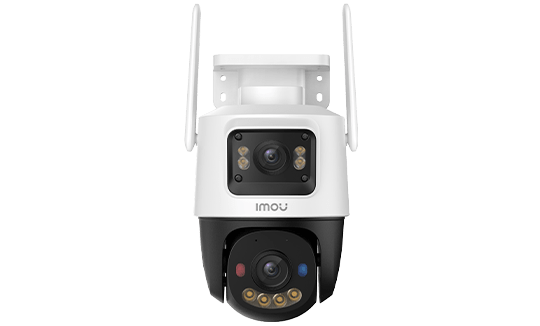
IMOU OUTDOOR CAMERA
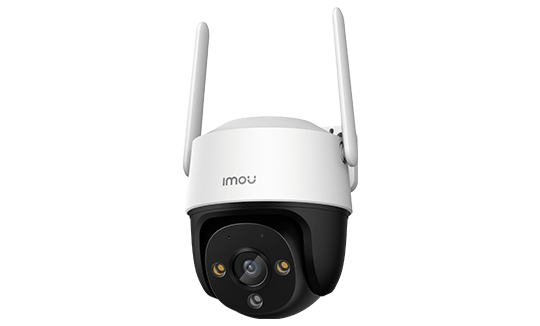
IMOU INDOOR CAMERA
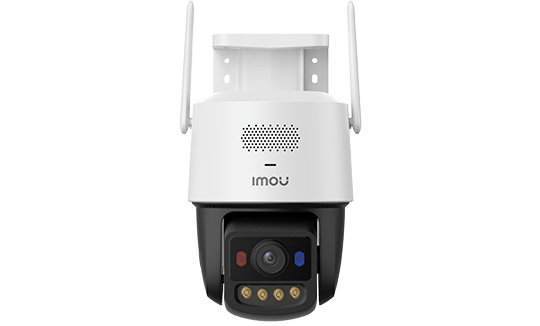
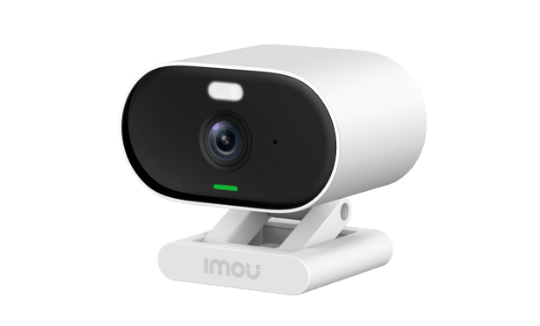
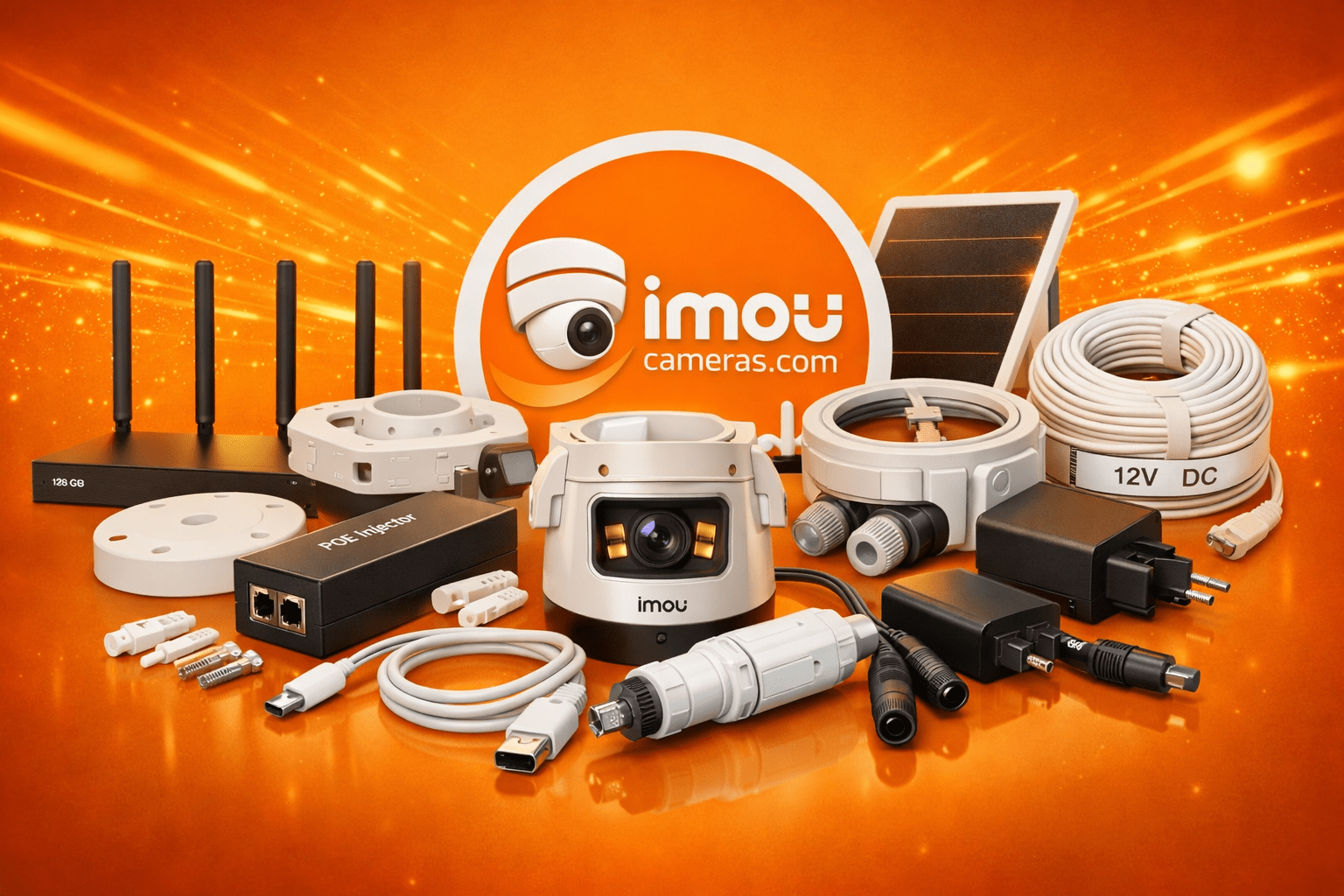
Imou Accessories: Everything You Need to Complete Your Installation
Buying an Imou camera is the first step. For the installation to be functional, reliable and long-lasting, several accessories come into play — also see our camera families guide to choose the camera before the accessories: a local storage medium, a power solution, physical mounting hardware and optional service plans. This page details each category with precise technical specifications and practical recommendations drawn from real-world installations.
SD Card Guide for Imou Cameras
Almost every Imou camera — Bullet 2, Ranger, Cruiser, Cell PT, Titan Pro, DK3, DK7 and more — includes a microSD slot for local recording. The microSD card is the primary storage medium for cameras used without an NVR, and serves as backup storage for cameras connected to an NVR.
Minimum Required Specifications
A security camera records in a loop: when the card is full, it overwrites the oldest footage and starts again. This cyclical write pattern is destructive to consumer-grade SD cards, which are designed for a limited number of write cycles.
Minimum requirements for reliable compatibility:
- Speed class: Class 10 minimum (10 MB/s write speed). Below this, the camera’s buffer overflows and frames are dropped.
- UHS standard: UHS-I is mandatory. U1 (10 MB/s) for resolutions up to 4 MP. U3 (30 MB/s) for 4K cameras, dual-lens models or any camera recording two simultaneous streams (main + sub-stream).
- High endurance: endurance-rated cards are designed for 30,000 to 40,000 hours of continuous video writing. A standard consumer card will fail within weeks to months under continuous recording conditions.
Recommended Capacities by Camera Type
| Camera Resolution | Recording Mode | Recommended Capacity | Approximate Duration |
|---|---|---|---|
| 2 MP (1080p) | Continuous H.265 | 64 GB | ~5–6 days |
| 2 MP (1080p) | Detection-only | 32 GB | Several weeks |
| 3–4 MP | Continuous H.265 | 128 GB | ~5–7 days |
| 4–5 MP | Continuous H.265 | 256 GB | ~7–10 days |
| 8 MP (4K) | Continuous H.265 | 256 GB | ~4–5 days |
For 4G battery cameras in detection-only mode, a 64 GB card often holds several weeks of event clips. In continuous mode on a 4K camera, even a 256 GB card fills in under a week.
Recommended Brands and Models
SanDisk MAX Endurance (formerly SanDisk High Endurance): available in 32 GB to 256 GB. Rated for 40,000 hours of continuous video recording. The 256 GB version is the most widely used with high-resolution Imou cameras. microSD format with SD adapter included. Read up to 100 MB/s, write up to 40 MB/s (U3).
Samsung PRO Endurance: available from 32 GB to 256 GB. The 256 GB variant is rated for 140,000 hours of continuous writing — one of the best endurance ratios on the market. Read 100 MB/s, write 30 MB/s. Ideal for installations where physical access to the camera is difficult and you want to minimise how often the card is replaced.
Kingston Canvas Go! Plus: video-recording-oriented UHS-I U3 series. Available up to 512 GB for cameras that support this capacity. Read 170 MB/s, write 70 MB/s. A cost-effective option with strong sequential write performance.
Cards to Avoid
Standard SD cards (Class 10 without an endurance rating, camera or drone cards) are not built for looped recording. They may function for a few weeks, but the gradual deterioration of flash cells causes silent corruption: the camera believes it is recording, but the files are unreadable. This problem only surfaces when you need to retrieve footage after an incident — by which point it is too late.
Unknown-brand cards sold in large quantities on online marketplaces carry additional risks: advertised capacity exceeding actual capacity (fake capacity fraud), firmware not optimised for continuous writing, and lack of effective wear-levelling.
Formatting and Compatibility
Always format SD cards directly in the camera or NVR, not on a PC. Camera-initiated formatting creates a file system optimised for circular video recording.
- Cards up to 32 GB: formatted as FAT32 (4 GB per file maximum — the camera splits files automatically)
- Cards from 64 GB upwards: formatted as exFAT (no file size limit)
Check the maximum supported capacity for your specific camera model before purchasing. Some older or entry-level models are limited to 128 GB or 64 GB regardless of the card’s rated capacity.
Power Supply and Connectivity Accessories
PoE Injectors
A PoE injector (also called a midspan PoE injector) lets you power a PoE camera from a non-PoE switch or directly from a router. It connects between the wall RJ45 socket and the camera, with a separate mains lead.
For Imou PS cameras powered by 802.3af (PS1C, PS3E, PS70F), any passive or active 802.3af PoE injector will suffice. For 802.3at cameras (PS50, PS60C), choose a PoE+ 802.3at injector.
A PoE injector is the ideal solution when adding one or two PoE cameras without investing in a full PoE switch. For three or more cameras, a dedicated PoE switch becomes more cost-effective.
Replacement USB-C Charging Cables
Battery cameras (DK3, DK7, Cell PT 4G, Cruiser 4G) recharge via USB-C. If the included cable is lost or damaged, a standard Power Delivery (PD) USB-C cable is compatible. Quick Charge 3.0 or PD 18W fast charging reduces charge time by 30–40% compared with a standard 5W charger.
For semi-permanent installations where the camera stays in place but needs regular recharging, consider a reinforced USB-C cable with UV- and moisture-resistant sleeving (IP44 minimum).
12V DC Mains Adapters for Battery Cameras
Some Imou battery models accept an external 12V DC supply for permanent mains-powered operation without the battery. A 12V / 2A mains adapter with a barrel jack connector (5.5 × 2.1 mm, positive centre pin) converts the portable camera into a fixed mains-powered unit. Verify compatibility with your specific model before purchasing — not all battery cameras support this mode of operation.
Weatherproof RJ45 Junction Boxes
For outdoor RJ45 cable runs, joins between cable sections must be mechanically and moisture-protected. IP67-rated RJ45 junction boxes (also sold as waterproof RJ45 couplers) allow two Cat 5e/Cat 6 cables to be joined outdoors without risk of water ingress. Common uses include:
- Extending an existing PoE cable run
- Passing through a wall or partition while minimising exposed cable length
- Protecting the junction between a buried cable and a wall-mounted riser
Mounting and Fixing Options
Standard Wall Bracket
Almost every Imou camera ships with a wall-mounting bracket. This suits the majority of installations on rendered surfaces, brick or concrete. It typically allows ±15° to ±30° angle adjustment in all directions for precise aiming after fixing.
The standard bracket is UV-resistant ABS plastic on outdoor models. For industrial environments with vibration or impact risk, metal alternatives (cast aluminium or stainless steel) are available from third-party suppliers, compatible with the standard ¼-inch thread found on most Imou cameras.
Flush Ceiling Mount
Dome cameras such as the Ranger and Rex series are ideally installed flush-mounted in a ceiling for a discreet look and optimal downward coverage. The flush mount requires a cutout in the suspended ceiling (typically 60–90 mm diameter depending on the model). The RJ45 or power cable runs in the ceiling void.
Pole and Mast Bracket for Outdoor Use
For Bullet cameras or outdoor PTZ models (Cruiser series), a pole bracket allows the camera to be installed at height on a steel tube 30–60 mm in diameter. This type of fixing is common on building corners, lighting columns, gate posts and fence lines.
A telescopic pole is a useful variant that allows height adjustment between 1 and 3 metres — practical for sites where no natural support is available at the right height.
Sun Shield / Lens Hood
On facades facing directly south or west, late afternoon sun can shine straight into a fixed camera’s sensor and render footage unusable for several hours. A sun shield (a plastic or aluminium visor) fits over the top of the camera body and casts a shadow across the lens. Compatible with most Imou bullet and dome outdoor cameras via the standard ¼-inch thread.
Anti-Theft Security Cables
Battery cameras (DK3, DK7, Cruiser 4G) are portable by design, which makes them vulnerable to theft. A galvanised steel security cable (similar to a lightweight bicycle lock cable) threaded through a fixing point or carry loop and secured to a fixed anchor (a post or railing) deters opportunistic theft. This does not protect against a determined theft using tools, but covers the large majority of attempts.
Imou and Compatible Solar Panels
Imou battery cameras (Cell PT 4G, AOV series and certain solar-compatible Ranger models) can be supplemented or powered by an external solar panel for continuous operation without manual recharging.
Imou 5 W Solar Panel
The 5 W panel suits cameras in detection-only mode with low to moderate activity. In a temperate climate with 4–5 hours of effective daily sunshine, it produces approximately 20–25 Wh per day. If the camera’s daily consumption is below this figure — which is the case in standby/detection mode with 10–20 triggers per day — the battery sustains itself indefinitely.
Approximate dimensions: 170 × 145 mm. Proprietary Imou connector or USB-C depending on the model. Recommended orientation: due south, 35–45° tilt in central Europe and the UK.
Compatible 10 W and 20 W Solar Panels
For sites with less sunlight (north-facing walls, frequently overcast regions), third-party 10 W to 20 W solar panels with a compatible connector (USB 5V or DC 12V depending on the camera model) provide more headroom. Always verify the panel’s output voltage and compatibility with your camera model before purchasing.
Solar Panel Installation Tips
- Avoid any partial shading of the panel: a tree, an eave or an antenna covering 20% of the panel can reduce output by 50–80% depending on the cell technology (monocrystalline cells with bypass diodes are more tolerant of partial shading).
- Clean the panel twice a year: dust, bird droppings and algae reduce output by 10–20%.
- Orient the panel independently of the camera if possible: the best angle for solar generation is not always the best angle for the camera.
- In winter with short days, even a 10 W panel may be insufficient if the camera is heavily triggered. Consider reducing detection sensitivity to lower the trigger frequency, or plan for occasional supplementary charging.
Imou Services and Subscriptions
Imou Cloud: Official Cloud Recording
The Imou Cloud service allows footage from your cameras to be saved to Imou’s servers, either alongside or instead of local storage (SD card or NVR). Recordings are accessible via the Imou app from anywhere with an internet connection.
Two plans are typically available:
| Plan | Retention Period | Indicative Price | Recording Trigger |
|---|---|---|---|
| Imou Cloud 7-day | 7 rolling days | ~€2–3 / camera / month | On detection or continuous |
| Imou Cloud 30-day | 30 rolling days | ~€5–7 / camera / month | On detection or continuous |
The 7-day plan suits most domestic users: incidents are reported promptly and footage is reviewed within days. The 30-day plan suits businesses or properties where an incident may only be discovered weeks later — such as a slow stock theft or gradual vandalism.
Imou Cloud is a useful complement to local SD card storage, not a replacement. If the camera is stolen or destroyed, the cloud retains footage from the hours before the incident. An SD card disappears along with the camera.
Imou Care: Extended Warranty
Imou Care is a paid extended warranty programme. The standard warranty on Imou products is 2 years. Imou Care extends this to 3 or 4 years depending on the plan, with enhanced after-sales support and faster replacement in the event of a fault.
This service makes sense for professional installations — warehouses, shops — where a failed camera represents an uncovered blind spot for the duration of the repair. For residential installations, the standard 2-year statutory guarantee is generally sufficient.
Optimal Setup: SD Card + Cloud Combined
The most robust configuration combines both storage methods:
- Local SD card: continuous or event-based recording in high quality. Immediate on-site storage with no internet dependency.
- 7-day cloud subscription: off-site backup of detected events. Accessible if the camera is physically inaccessible or destroyed.
This combination costs approximately €2–3 per month per camera and provides storage redundancy that eliminates single points of failure in the event of a hardware incident.
Quick Reference: Which Accessory for Which Need
| Need | Recommended Accessory |
|---|---|
| Reliable local storage on camera | Samsung PRO Endurance 128 GB or 256 GB (UHS-I U3) |
| Powering a PoE camera from a non-PoE switch | 802.3af or 802.3at PoE injector (match to camera) |
| Battery camera in a permanent location | 12V DC mains adapter + reinforced USB-C cable |
| Unlimited outdoor runtime | 5 W solar panel (low activity) or 10 W (cloudy/winter) |
| Discreet indoor installation | Flush ceiling mount for dome cameras |
| Elevated outdoor installation | Pole bracket or telescopic mounting pole |
| Solar glare on a fixed outdoor camera | Sun shield / lens hood |
| Anti-theft protection for portable camera | Galvanised steel security cable |
| Outdoor RJ45 cable joint | IP67-rated waterproof RJ45 junction box |
| Off-site backup in case of camera theft | Imou Cloud 7-day or 30-day subscription |
| Extended warranty for professional use | Imou Care (3 or 4-year plan) |
Key Takeaways
- Use a Class 10 or UHS-I microSD card (WD Purple or Samsung Pro Endurance) — standard cards have reduced write endurance for continuous 24/7 recording.
- Imou solar panels (3 W and 6 W) fit Cell and AOV series — the 6 W panel is recommended for low-sunlight regions or high-activity cameras.
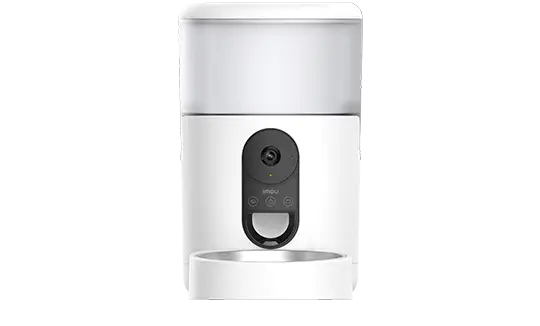
- The Imou Smart Pet Feeder works in the Imou Life app — manage scheduled meals and view the integrated camera simultaneously from one app.
- The USB-C charging cable is universal across recent Cell and AOV models — a 10,000 mAh power bank adds approximately 3 weeks of extra battery life.
- Imou mounting brackets support 3-axis adjustment — choose a ball-head bracket for difficult mounting angles (tight corners, ceiling edges).
Frequently Asked Questions
Which microSD card should I use for an outdoor Imou camera?
For an outdoor camera exposed to temperature fluctuations, choose a surveillance-grade card: WD Purple SC QD101 (64–256 GB) or Samsung Pro Endurance. These cards handle 10,000–40,000 write cycles versus 3,000 for standard cards. At 5 MP resolution, a 128 GB card stores approximately 10 days of continuous H.265 recording.
Is the Imou solar panel enough in winter?
It depends on latitude and sun exposure. In central Europe with 2–3 hours of direct sunlight in winter, the 6 W panel maintains charge on low-activity cameras. For high-activity cameras or installations with prolonged shade, plan for a manual USB-C recharge once a month. In summer, the 3 W panel is sufficient in most cases.
Is the Imou Care subscription mandatory?
No. Imou Care is optional. Without a subscription, you get live view, local SD recording, detection notifications and two-way audio — completely free. The subscription adds cloud video history (7 or 30 days), off-site backup if the camera or SD card is stolen, and some advanced AI features depending on the model.
Are Imou mounting brackets compatible with all cameras?
Imou mounting brackets are model-specific. However, the standard 1/4-inch thread used on most models allows third-party universal brackets (articulated arms, ceiling mounts, corner brackets). Check the mounting diameter in your camera’s product specs before purchasing a non-official bracket.